Home / App Guide / Environment / Set up alerts
How to set up alerts for your home and work in PantauSivik
PantauSivik can tell you about lightning, road incidents, air quality and more, but only if it knows which parts of Singapore you care about. Since version 1.31.0, you choose them yourself. This guide shows you how to set it up in a few minutes, what each setting really does, and what to check if something is not working.
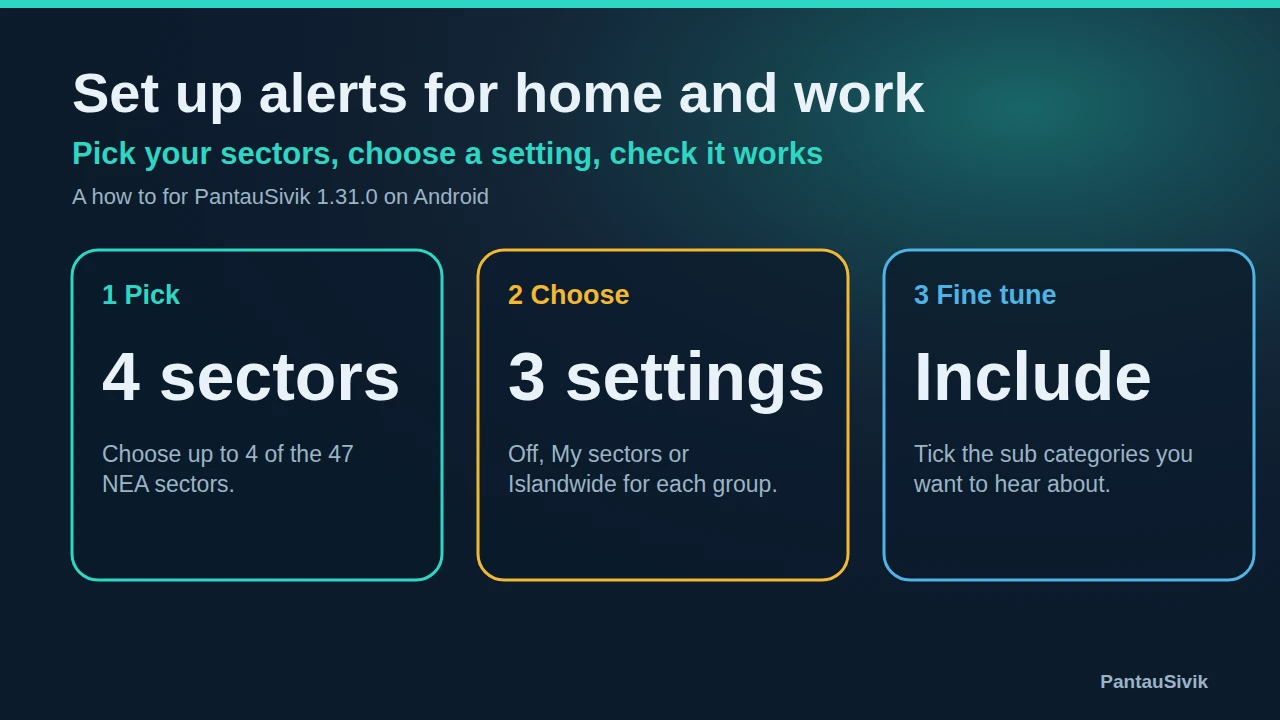
In short: open More, then Settings, then Notifications. Tap Choose sectors to pick up to 4 of the 47 NEA areas. Then set each alert group to Off, My sectors or Islandwide, and tick the sub categories you want in the Include row.
Before you start
You need PantauSivik 1.31.0 or later. Open Google Play, search for PantauSivik and tap Update if you see the button. Version 1.30.0 had a bug that stopped settings from saving on some phones, and 1.31.0 fixes it. If you are not sure which version you have, update anyway. Also check that your Home country is right, because alerts follow it. This guide is for Singapore alerts, and it describes the screens as of 1.31.0, which may change a little in later versions.
Why sectors instead of distance
Earlier versions had a Nearby option that depended on where your phone was. That worked at home, but it followed your phone, so it could not tell you about your office while you were somewhere else. Sectors fix this. You decide which parts of Singapore matter, and you hear about them wherever you are. Your choices are kept on your phone, and the app does not need an account.
Step 1: Choose your sectors
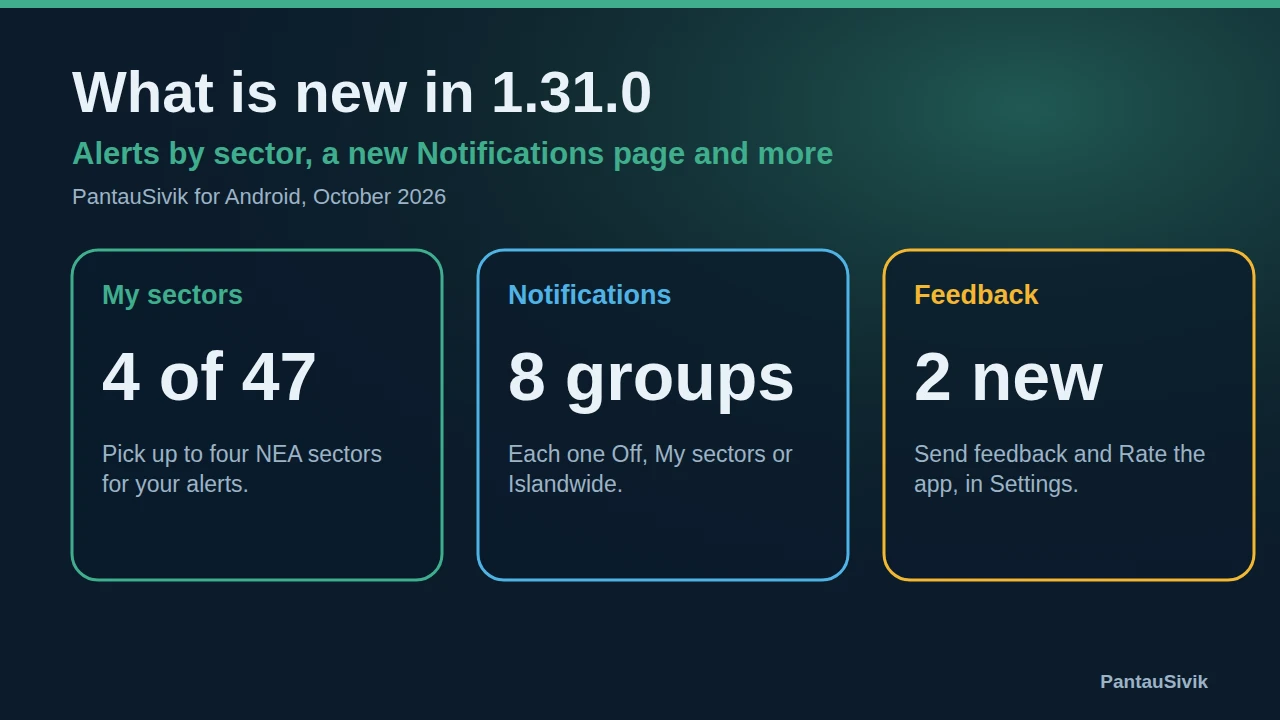
New users see a step called Where do you want alerts for? during setup, after choosing a Home country. If you were already using the app, you will see it once after updating, unless you had already chosen a sector. You search the 47 NEA areas and pick up to 4. There is no Skip button, because alerts now depend on your sectors. You can change them later: open More, then Settings, then Notifications, and tap Choose sectors.
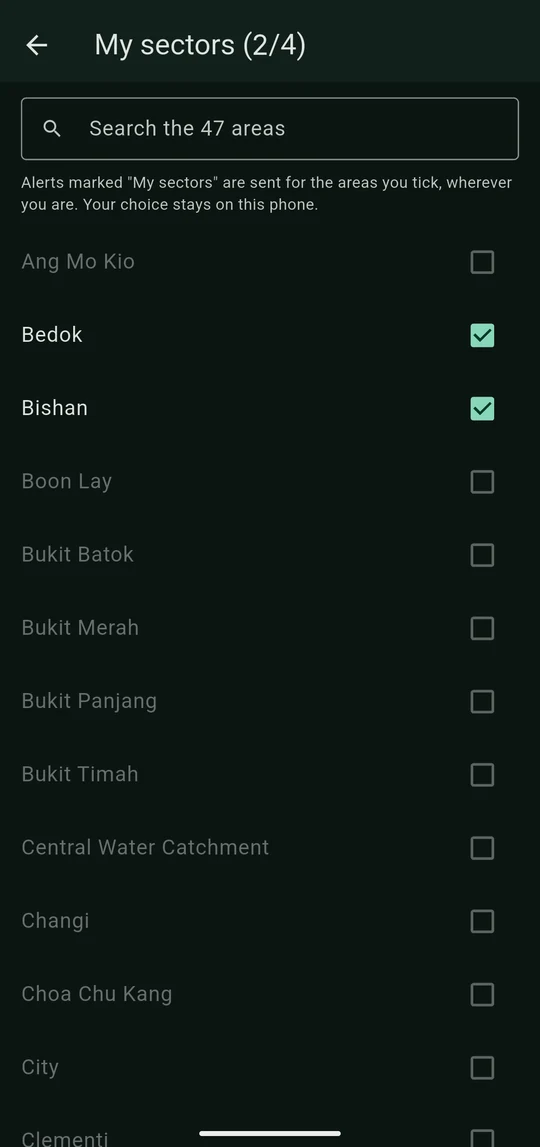
Which sectors should you pick? Think about the places where weather and road trouble would change your plans:
- The sector where you live.
- The sector where you work or study.
- A sector you pass through on the way, or where you drive or collect someone regularly.
- A sector where a parent or child spends the day.
Sector names are NEA areas, such as Bedok, Tampines, City or Jurong East. If you are not sure which sector a place is in, search for the neighbourhood name and pick the closest one.
Step 2: Decide what each alert group does
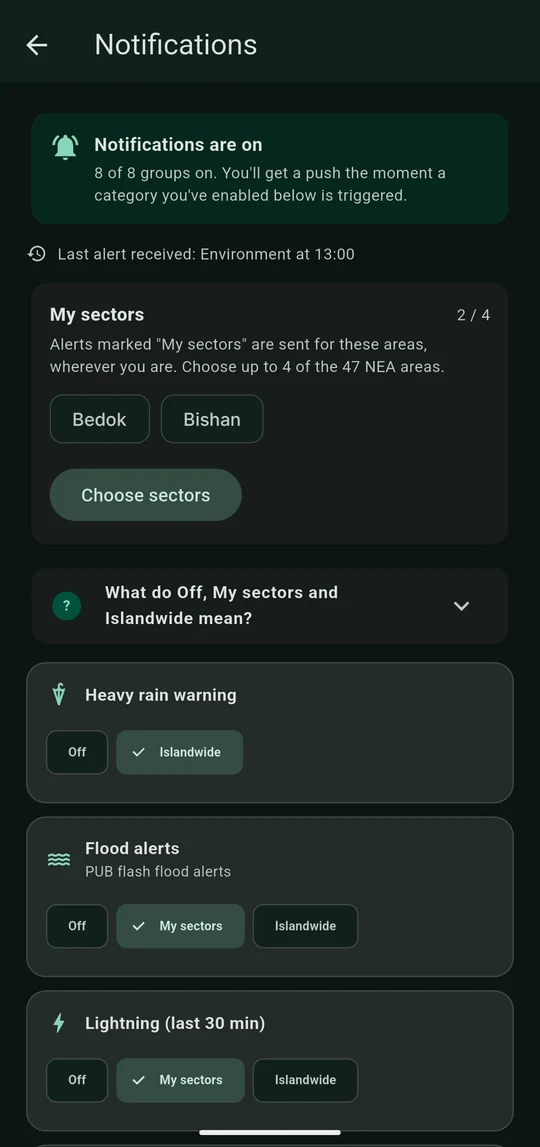
Open More, then Settings, then Notifications. There is one card for each alert group, and each card has choices to tap: Off, My sectors or Islandwide, depending on the group. If you are not sure what they mean, tap What do Off, My sectors and Islandwide mean? near the top of the page. Here is what each choice means in practice:
- Lightning alerts name your sector first. With the app closed, you get at most one lightning notification every 10 minutes, and each one expires after 10 minutes so an old alert does not wake you later.
- Road incidents (accident, roadwork, vehicle breakdown) and dengue alerts reach your sector when they are within 8 km, and start with "Near" and the sector name.
- Flood alerts (PUB flash flood alerts) can be set to Off, My sectors or Islandwide.
- PSI and PM2.5 alerts follow the NEA region your sector is in, not the sector itself.
- Public Transport disruptions, Maintenance notices, heavy rain and UV alerts are islandwide, so they do not depend on your sectors. Heavy rain warnings offer only Off or Islandwide.
A simple rule: choose My sectors for anything local, like lightning and road incidents, and Islandwide for anything that could affect your whole journey. Choose Off for groups you do not want. Switching a group off means the app drops it, even if an old subscription is still sending it.
Step 3: Use the Include row
Under each card there is an Include row, where you tick the sub categories. For example, Public Transport lets you choose train lines and bus disruptions, Road incidents lets you choose accident, roadwork or vehicle breakdown, and Environment lets you choose PSI, PM2.5, UV, haze, heat stress or radiation. If you only drive, untick the train lines. If you only care about haze, tick only the air quality items. Fewer ticks means fewer notifications, so you are more likely to read the ones you get.
Step 4: Check that it works
- At the top of the Notifications page, the app shows how many groups are on and the last alert your phone received. Make sure the count matches what you expect.
- Open the Alerts page. The lightning card shows strikes across Singapore in the last 30 minutes, with a line for each of your sectors.
- Tap any notification you receive. It should open the screen the alert belongs to, even if the app was closed.
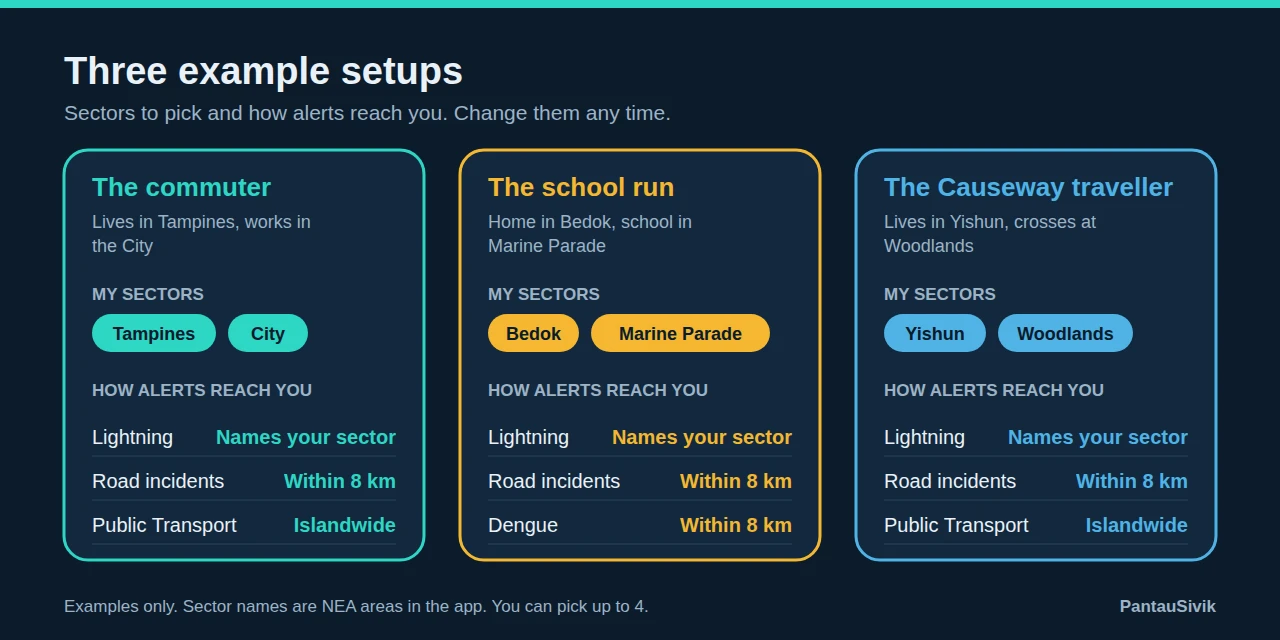
Three example setups
The commuter lives in Tampines and works in the City. Pick both sectors and set Lightning and Road incidents to My sectors. Public Transport disruptions are islandwide, so a train fault anywhere on your line can reach you.
The school run has home in Bedok and school in Marine Parade. Pick both. Lightning will name the sector first, and dengue alerts also reach your sectors when a cluster is within 8 km, which is handy near a school.
The Causeway traveller lives in Yishun and crosses at Woodlands. Pick both. When you open the app in Malaysia, it offers to switch your alerts for the trip, and you can switch back when you are home.
Travelling to Malaysia
Alerts follow your Home country rather than the country screen you are viewing. If you open the app in the other country, it offers to switch your alerts for the trip and to switch back when you are home. If you choose Not now, it will not ask again for that trip. You can also turn the offer off in Preferences. Our Malaysia guide covers what else the Malaysia section shows.
Changing your mind later
Life changes, and so should your sectors. If you move house, start a new job or your child changes school, open More, then Settings, then Notifications, tap Choose sectors, and swap the sector. Because you can pick only 4, untick one before you tick another. A few habits help: review your sectors at the start of each school term, remove a sector you no longer visit so you are not getting alerts you ignore, and keep one slot free for trips, such as a weekend away or a hospital visit. Because your choices are kept on your phone and there is no account, check them again if you move to a new phone.
If something is not working
- Settings do not save. Update to 1.31.0. If a setting still does not save, the app now shows a message that begins "Could not save this setting" and gives the reason.
- No alerts at all. Check that the group is on and not set to Off, that the sub category is ticked, and that notifications are allowed for PantauSivik in your phone settings.
- An alert did not name my sector. Some alerts, such as heavy rain, UV and Public Transport, are islandwide. PSI and PM2.5 follow the NEA region.
- Still stuck. Use Send feedback under Settings, About, and include your phone model.
Alerts come from public sources and appear after those sources publish them, so delays are possible. For more on each alert type, see the Public Alerts guide, and for what changed in this version, read what is new in 1.31.0.
Common questions
How many sectors can I choose?
Up to 4 of the 47 NEA sectors. You can change them any time under My sectors. Your choices are kept on your phone.
Can I skip choosing a sector?
Not during setup. Alerts now depend on your sectors, so the Where do you want alerts for? step has no Skip button.
Why did I not get an alert for my sector?
Check that the group is on, that it is set to My sectors or Islandwide and not Off, and that the sub category is ticked in the Include row. Also check that the app is allowed to send notifications in your phone settings.
Will alerts still work when I am in Malaysia?
Alerts follow your Home country. If you open the app in the other country, it offers to switch your alerts for the trip and to switch back when you are home.
Sources: PantauSivik app version 1.31.0. Sector names are NEA areas. Screens and wording can change between versions.
Information in PantauSivik comes from public sources and is there to help you plan. In an emergency, follow official channels. PantauSivik is independent and not affiliated with any government agency.
See also: Your first 24 hours in Singapore, Rain in Singapore for visitors, What is new in 1.31.0, Public Alerts guide, Malaysia guide, Four stormy days of lightning, Year end school holidays checklist.