Planning a trip from a hawker centre or EV charger just got easier: what's new in PantauSivik 1.25.0
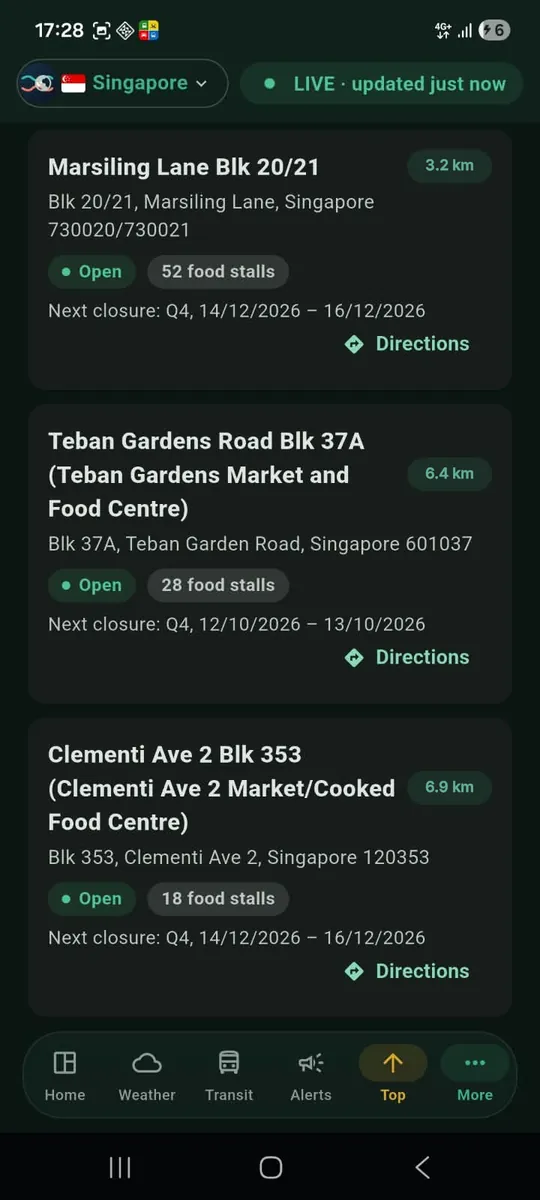
Planning a trip from a hawker centre or EV charger just got easier. You find the stall, the charger or the carpark you want, tap one button, and your trip is ready to plan. That is the headline of PantauSivik 1.25.0, and the rest of this update smooths out the moments around it.
One tap from a place to a plan
Say it is a weekday evening and you fancy dinner at a hawker centre. You scroll the list, see how far each one is and which stalls are open, and then comes the usual extra step: copying the address somewhere else to work out how to get there.
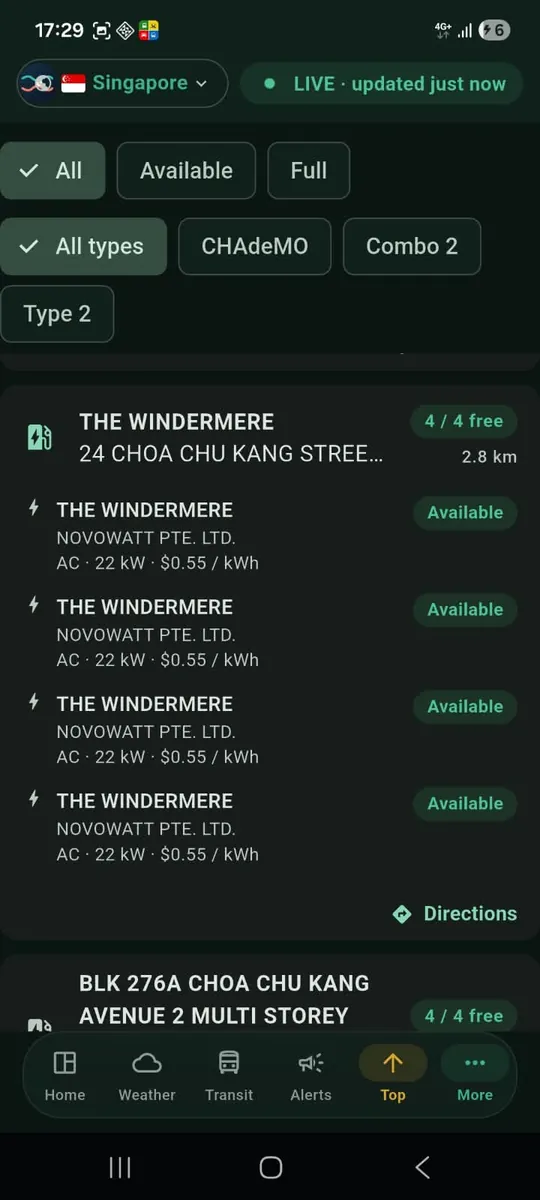
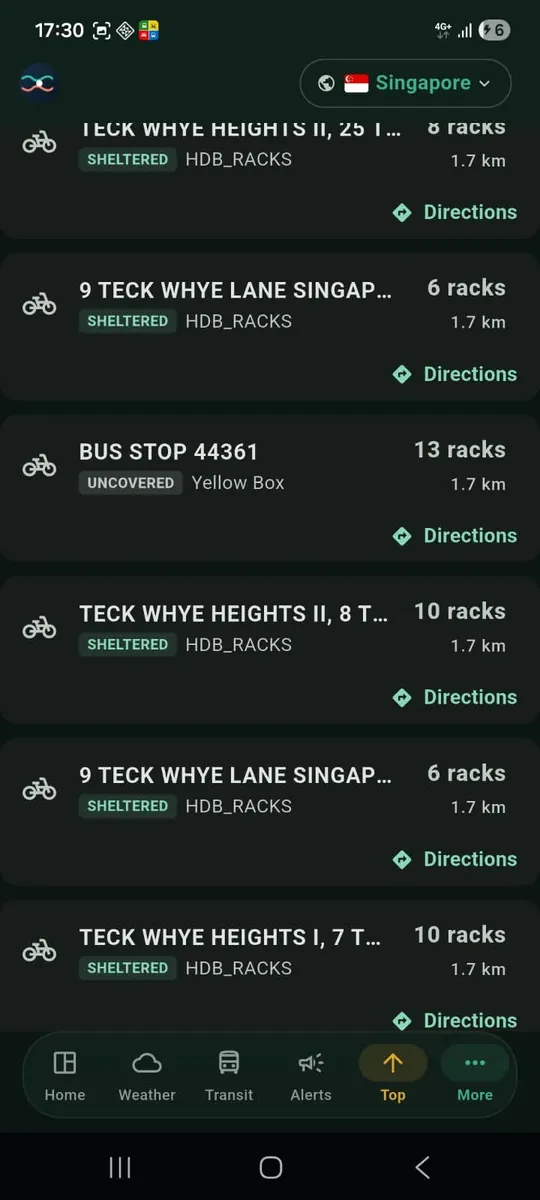
Now every card has a Directions button. Tap it and the place is carried straight into the Trip Planner as your destination. It works on four lists:
- Hawker Centres, for dinner plans.
- EV Charging, for the next top-up.
- Carparks, for finding a space before you set off.
- Bicycle Parking, for the last stretch on two wheels.
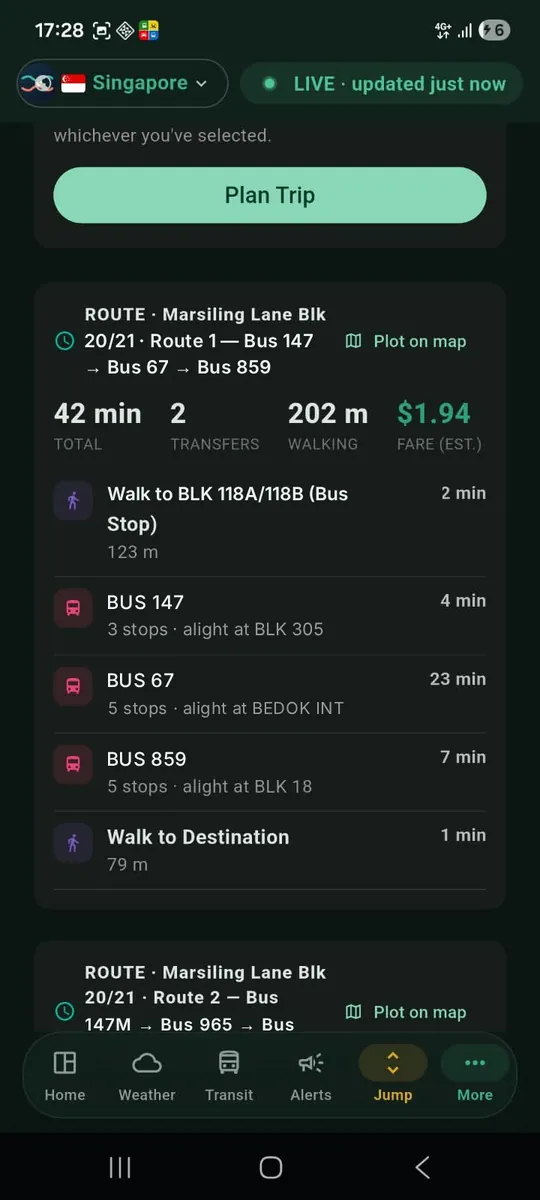
A smoother Plan a Trip screen
When you arrive in the Trip Planner, the form is easier to work with. There are now clear buttons on the location fields, so you can wipe an entry in one tap instead of deleting it letter by letter. A location icon sits beside the field, and when you choose to use your location, your address is filled in for you.
Short trip, no train or bus? You still get a route
Some trips are simply too short for the MRT, LRT or a bus. Before this update, those could end in an offline error, which was confusing when you were online. PantauSivik now shows the walking route instead, so you still get something useful.
An active trip that keeps up with you
Once you start a trip, the current step now follows your GPS. On the Map tab, the step list scrolls and stays on the step you are on, so you do not have to hunt for where you are in the directions.
Bus stop search finds more stops
We fixed a problem where bus stop search could miss some stops. If you looked for a stop earlier and could not find it, try again.
A bottom menu that fits you
The bottom menu now follows your persona, the commuter type you pick in the app. Drivers, riders, cyclists and commuters see the shortcuts that matter most to them first, instead of one menu for everybody.
Get the update
PantauSivik 1.25.0 is rolling out on Google Play. Updates reach devices gradually, so if you do not see it yet, check again in a day or two. Open the Play Store, search for PantauSivik and tap Update.
Walking routes and trip times are estimates to help you plan. Conditions on the ground can differ, so use your judgement and follow local signs.