Home / Blog / Visitors and Planning
First and last train times in Singapore: how to check them in PantauSivik
Missing the last train is a bad way to end a night out. The first train matters just as much if you have an early flight or a long day trip. PantauSivik 1.84 added first and last train times for MRT and LRT stations, plus a way to keep your own platforms one tap away.
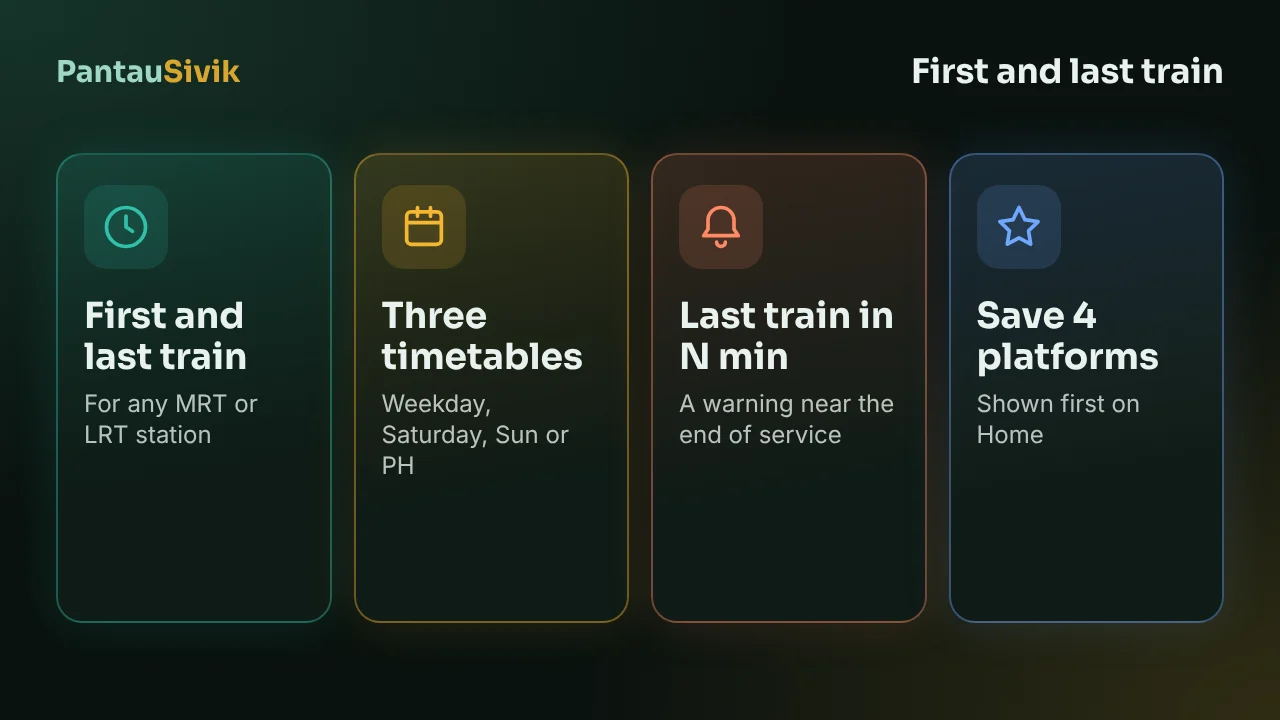
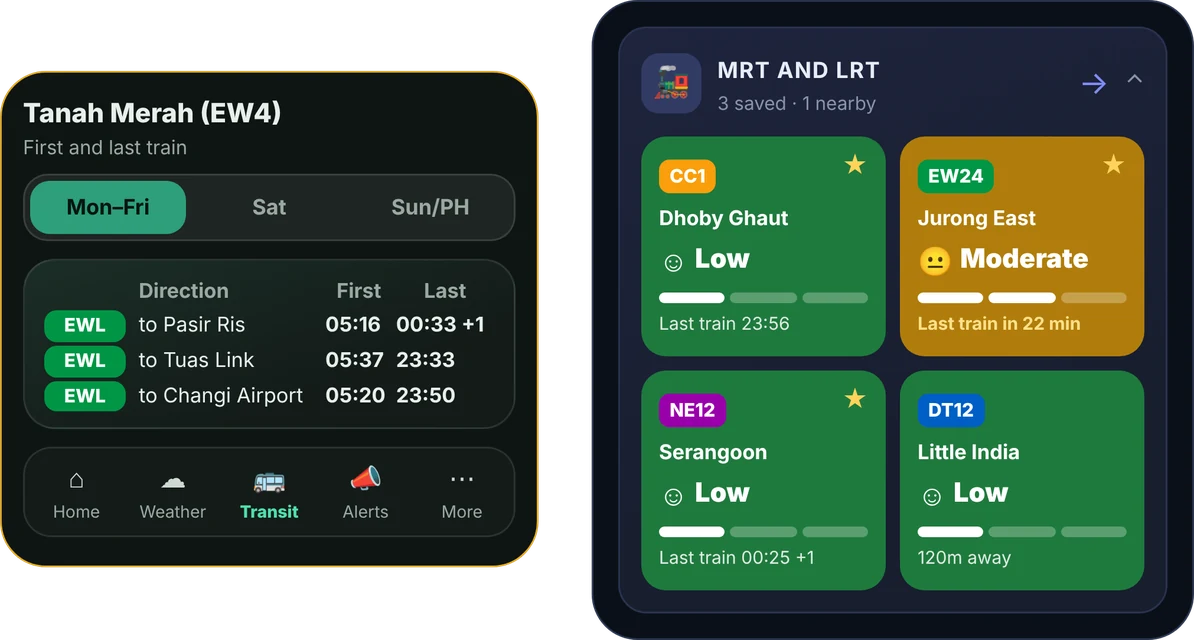
In short: open the MRT and LRT side of the Transit page, tap the pill with a station name, and pick Weekday, Saturday or Sun / PH. Tap the star on a platform to save it. You can save up to 4, and they show first on the Home card with their last train time.
Check a station
- Open Transit and go to the MRT and LRT side. Each station card has a pill with the station name and a small clock icon.
- Tap the pill. A panel opens under it with the first and last train for each direction, written as "Towards" and the end station.
- The panel opens on today's timetable. Use the Weekday, Saturday and Sun / PH tabs to look at another day. Public holidays follow the Sun / PH timetable, so a Monday holiday shows the Sunday times.
Close to the end of service, the pill adds a line that reads "Last train in N min", in orange. That is the one to watch when you are still at dinner.
Save the platforms you use
If you take the same station every day, or you are staying near one as a visitor, save it so you do not have to search each time.
- Tap the star beside a station to save that platform. You can also use Add a platform, search by station name or code, or let the app find the nearest station.
- Saved platforms appear first on the Home MRT and LRT card, each with its last train time.
- To change the list, open Manage saved platforms and remove one. The limit is 4, so you need to remove one before you add a fifth.
Station search shows line badges, which helps when two stations share a name. Bukit Panjang is the usual example, because the Downtown Line station and the LRT station are different places.
Where the times come from
The times come from the public train schedule data that the Land Transport Authority publishes. They are saved on your phone, so the panel opens fast, and they download when you are online. If you open a station before the first download finishes, the panel says the times are not available yet. We check for a new schedule every week and check public holidays every month. The schedule we use at the moment runs to the end of December 2026, and we update it when the next one is published.
Two ways to use it on a trip
- Late evening. Before you head out, open the station nearest to where you are staying and look at the last train toward your hotel. Check the Saturday and Sun / PH tabs too, because the times differ. Then work back from that time to decide when to leave.
- Early morning. If you are catching a flight or a first ferry, check the first train toward your stop on the day you travel. The first train is not at the same time on every line or in every direction.
For the rest of a journey, the Trip Planner compares routes, and the platform crowds guide shows how busy a platform is right now. If you are arriving at the airport, see Changi Airport to the city.
What this does not tell you
- These are scheduled times, not live arrivals. Delays and works can change what actually runs.
- A disruption can end service early. Check the Alerts page for train notices before a late journey.
- If a time matters, confirm it with the operator before you set out.
- The first and last train times are in version 1.84 and later. Update from Google Play if you do not see the pill.
Common questions
How do I see the last train time in PantauSivik?
Open the MRT and LRT side of the Transit page and tap the pill with the station name. The panel shows the first and last train for each direction, with tabs for Weekday, Saturday and Sun / PH.
Does it show first trains as well?
Yes. For each direction the panel shows both the first train and the last train.
Do the times change on public holidays?
Yes. Public holidays use the Sun / PH timetable. The app knows the holidays, so today's tab opens on the right one.
How many platforms can I save?
Up to 4. Remove one in Manage saved platforms before you add another.
Do the times work offline?
Once the schedule has downloaded, it is stored on your phone and the times show without a connection. The first download needs the internet.
Are these live train arrivals?
No. They are scheduled first and last train times. For crowding on the platform, see the MRT and LRT crowd level on the same card.
Sources: PantauSivik app, version 1.84.2, first and last train feature. Train schedule data from the Land Transport Authority public GTFS feed. Screens and wording can change between versions. PantauSivik is independent and not affiliated with the Land Transport Authority or any government agency.
Information in PantauSivik comes from public sources and is there to help you plan. In an emergency, follow official channels. PantauSivik is independent and not affiliated with any government agency.
See also: PantauSivik 1.84 release notes, MRT platform crowds guide, Trip Planner guide, Your first 24 hours in Singapore.