Home / Blog / Environment
Every alert PantauSivik can send, and when each one reaches you
If you have already chosen your sectors, the next question is what you will actually be told about, and when. Our setup guide covers the choosing. This post covers what happens afterwards: which alerts follow your sectors, which go to everyone, and the timing rules that keep your phone from buzzing all day.
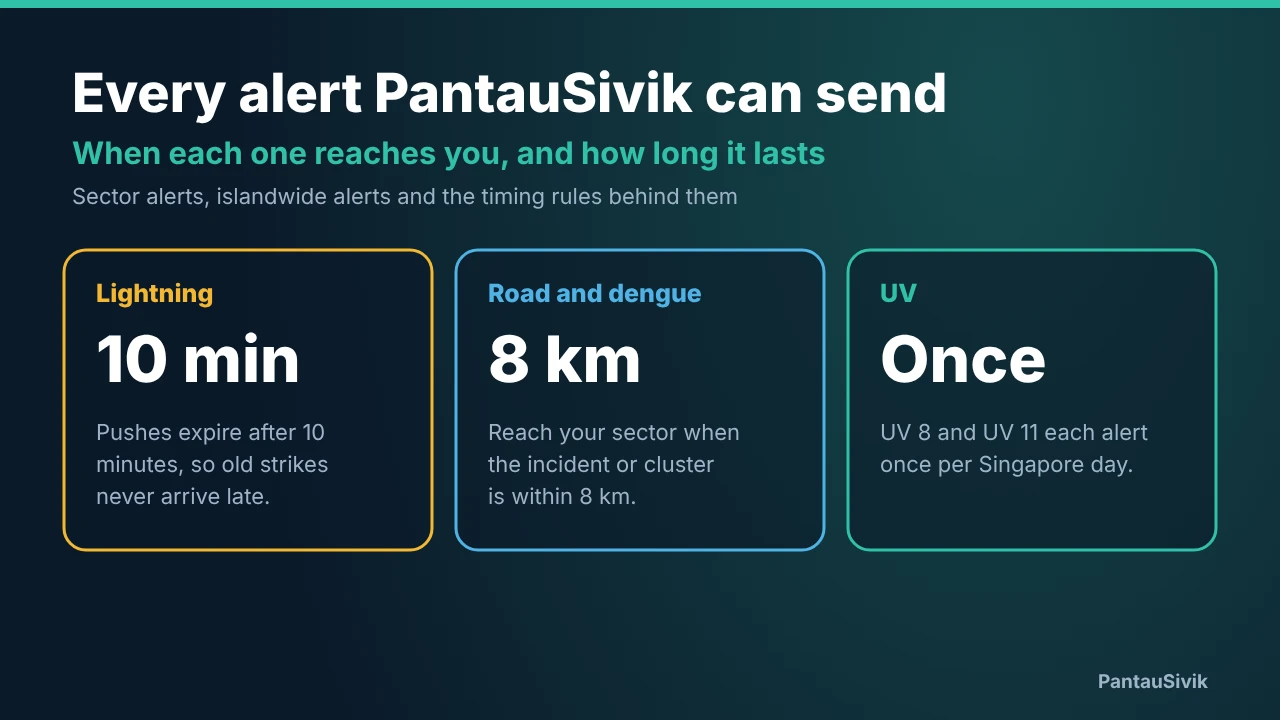
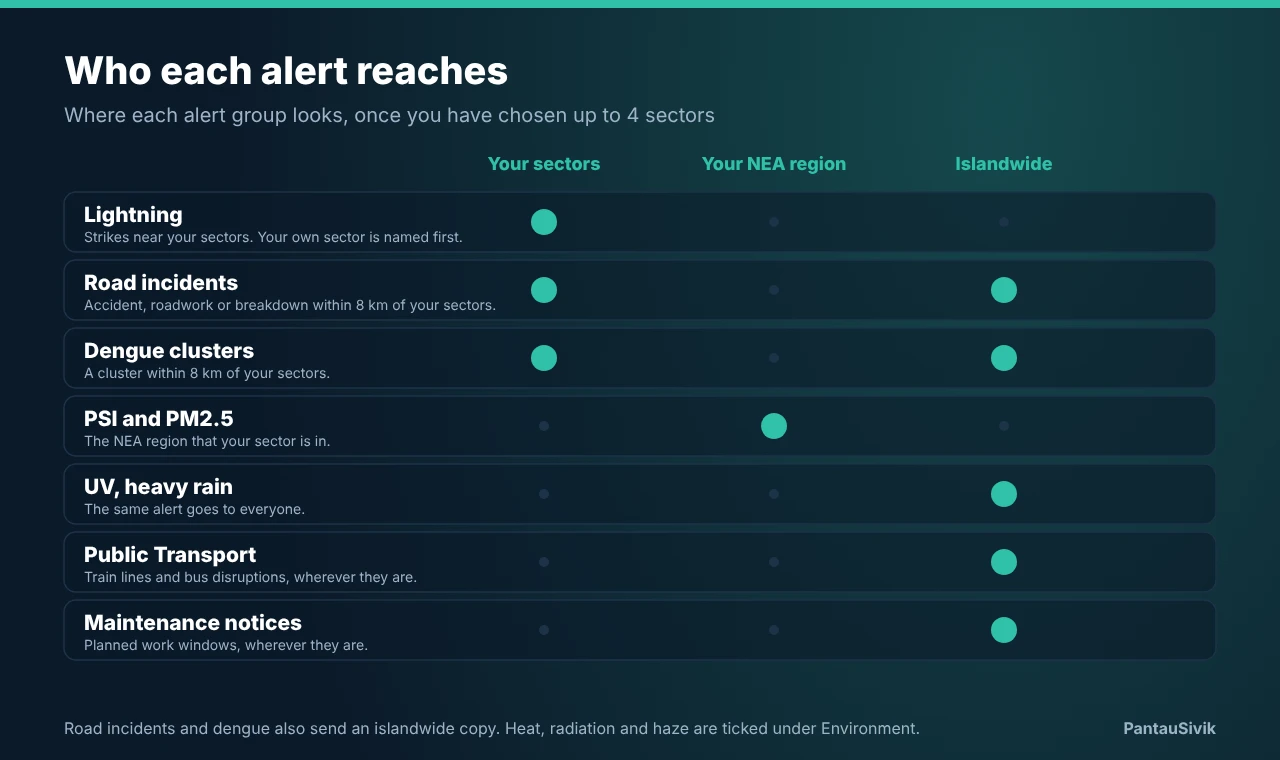
In short: lightning, road incidents and dengue follow your sectors. PSI and PM2.5 follow the NEA region your sector is in. UV, heavy rain, Public Transport and Maintenance notices are islandwide. Lightning pushes expire after 10 minutes, heat, radiation and haze pushes after an hour, and UV alerts come once per level per day.
Three kinds of reach
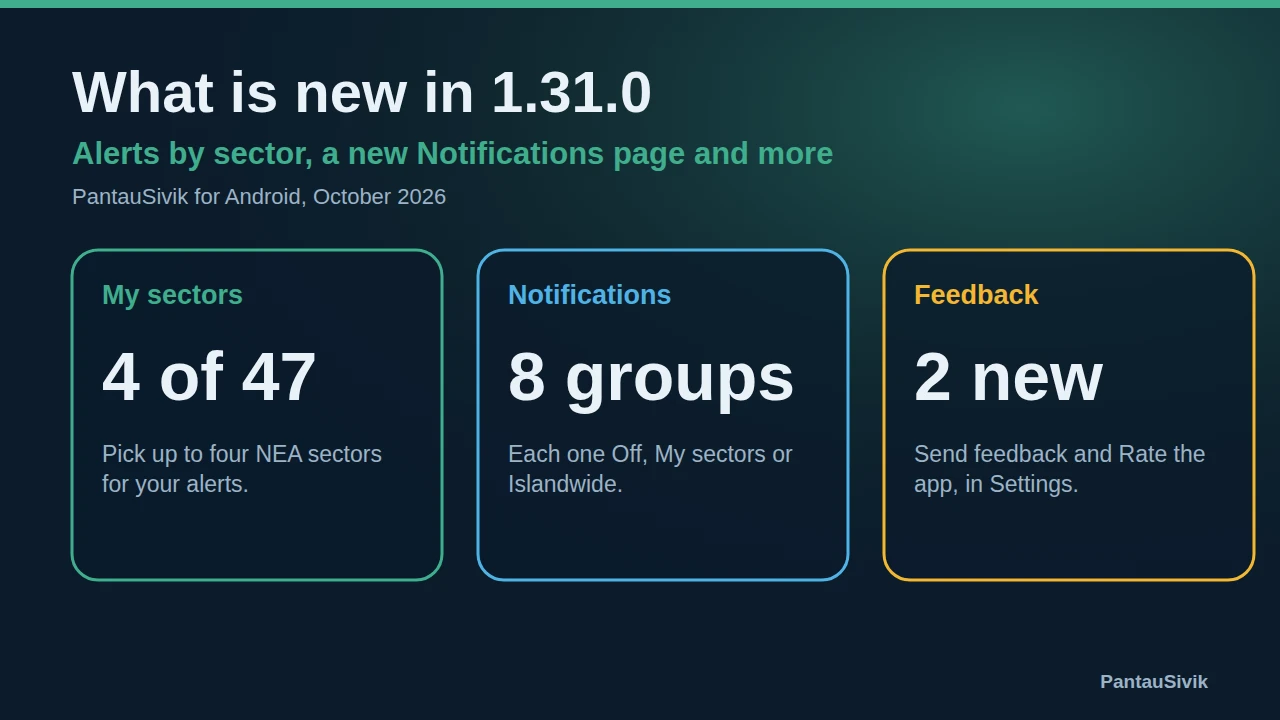
Every alert group in PantauSivik looks at your location in one of three ways. You can choose up to 4 of the 47 NEA sectors, such as Bedok, Tampines or Jurong East. Some alerts use those sectors directly. One uses the NEA region around them. The rest go to everyone in Singapore.
Alerts that follow your sectors
- Lightning. The alert names your sector first, so you can tell at a glance whether the strikes are near home or near your office. The lightning card on the Alerts page shows strikes across Singapore in the last 30 minutes, with a line for each of your sectors.
- Road incidents. Accidents, roadworks and breakdowns reach you when they are within 8 km of one of your sectors. The alert starts with Near and the sector name.
- Dengue clusters. The same 8 km rule applies. If a cluster appears near your sector, the alert starts with Near and the sector name too. Our dengue post shows what the clusters look like right now.
Road incidents and dengue also send an islandwide copy. If you only want the local ones, set the group to My sectors on the Notifications page.
An alert that follows your NEA region
PSI and PM2.5 are measured for five NEA regions, not for individual sectors. Each sector belongs to one region, so you get the alert for the region your sector is in. If you chose Tampines and Jurong East, you can hear about two regions.
Alerts that go to everyone
- UV. Alerts come at UV 8 and UV 11.
- Heavy rain. You get an alert when the heavy rain starts and another when it eases. This group offers only Off or Islandwide.
- Public Transport. Train line faults and bus disruptions. You can tick the lines and the bus group you care about in the Include row.
- Maintenance notices. Planned work windows. A notification opens the Maintenance section under Other on the Alerts page.
Flood alerts from PUB can be set to Off, My sectors or Islandwide, like the sector groups.
Heat stress, radiation and haze
These three came with version 1.68. They sit in the Include row under Environment on the Notifications page, next to PSI, PM2.5 and UV. Tick the ones you want. Each of these pushes expires after one hour, and a newer push replaces an older one, so you see the latest reading rather than a pile of them.

The timing rules
A few rules do most of the work in keeping alerts useful.
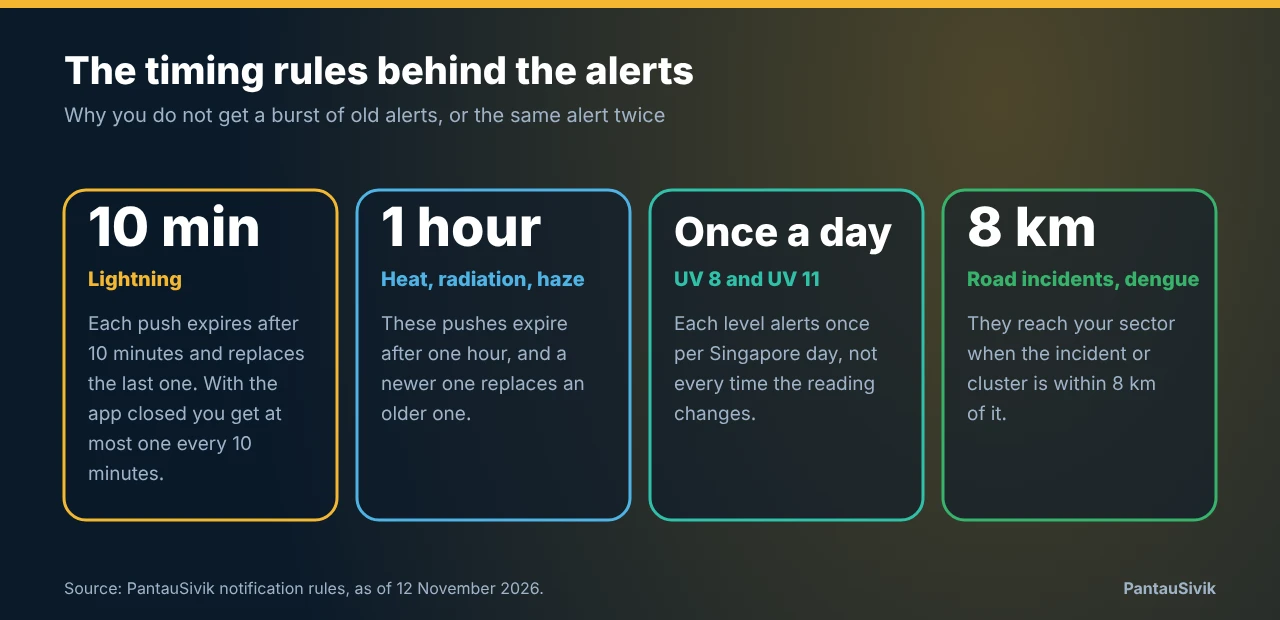
- Lightning expires after 10 minutes. With the app closed you get at most one lightning notification every 10 minutes. If your phone was off, it will not catch up on old strikes when it comes back.
- UV comes once per level per day. You get one alert at UV 8 and one at UV 11, each Singapore day, rather than one every time the reading moves.
- An alert shows once. In 1.68 we fixed a bug where the same alert could appear twice, and a doubled Near in sector alerts is gone. Dengue clusters had a related problem on the server: NEA renumbers its clusters on each update, so the same cluster could alert again every day. We fixed that on 30 October.
- An off switch means off. If you switch a group off, the app drops the alert even if an old subscription is still delivering it.
In your language
Push notification text now comes in the language you chose in Settings: English, Malay, Chinese, Tamil, Hindi, Japanese or Korean. When you tap a notification, the app opens the screen the alert belongs to, even if it was closed.
If an alert did not arrive
- Open More, then Settings, then Notifications. Make sure the group is not set to Off.
- Check your sectors. If you changed jobs or moved, the sector you are watching may no longer be the right one.
- Check the Include row for the sub category. Haze, for example, is ticked separately from PSI.
- Look at the top of the page. It shows how many groups are on and the last alert your phone received.
Alerts also depend on your phone, your connection and public data feeds, so one can arrive late or not at all. For safety and health decisions, follow official advice from the agencies concerned.
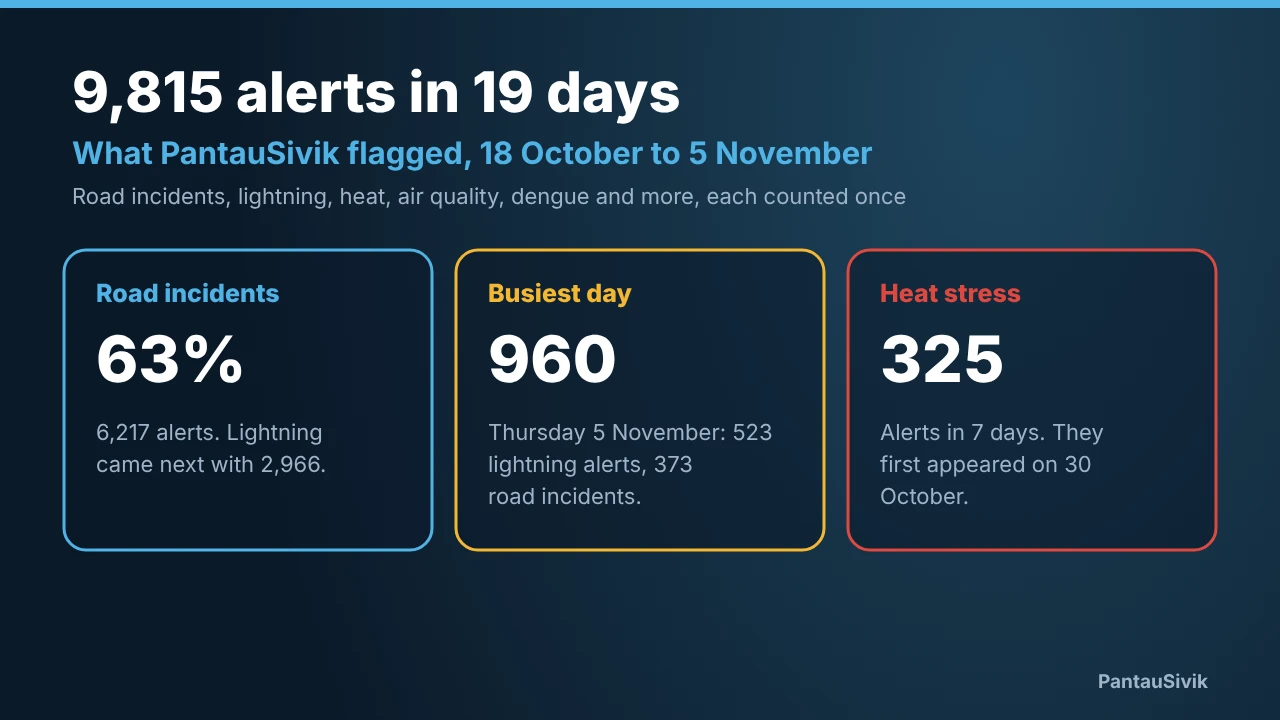
To see how often each type of alert actually fires, the alerts history page counts alerts per day by type, for Singapore and Malaysia.
Common questions
Which PantauSivik alerts follow my sectors?
Lightning, road incidents (accident, roadwork and breakdown) and dengue clusters. Lightning names your sector first. Road incident and dengue alerts reach you when the incident or cluster is within 8 km of one of your sectors, and they start with Near and the sector name.
Which alerts are islandwide?
UV, heavy rain, Public Transport disruptions and Maintenance notices are islandwide, so they do not depend on your sectors. PSI and PM2.5 follow the NEA region your sector is in.
How often can PantauSivik send a lightning alert?
With the app closed, at most one lightning notification every 10 minutes. Each lightning push also expires after 10 minutes, so a phone that was off does not receive a burst of old strikes.
Does PantauSivik send heat stress, radiation and haze alerts?
Yes, since version 1.68. Tick them in the Include row under Environment on the Notifications page. Each of these pushes expires after one hour, and a newer one replaces an older one.
Why did I not get an alert?
Check that the group is not set to Off, that your sector is chosen, and that the sub category is ticked in the Include row. The top of the Notifications page shows how many groups are on and the last alert your phone received. Alerts also depend on your phone, your connection and the public data they come from, so a late or missed alert can happen.
Information in PantauSivik comes from public sources and is there to help you plan. In an emergency, follow official channels. PantauSivik is independent and not affiliated with any government agency.
See also: How to set up alerts for your home and work, What is new in 1.31.0, Public Alerts guide, Dengue in Singapore, November 2026.