Home / App Guide / Getting around / Bus arrivals
How to check live bus arrival times in Singapore and save your stops
Latest change, 18 November 2026: Transit now has a Bus side and an MRT and LRT side, with an Add a new stop button on the Bus side. This is in version 1.84.2, now on Google Play.
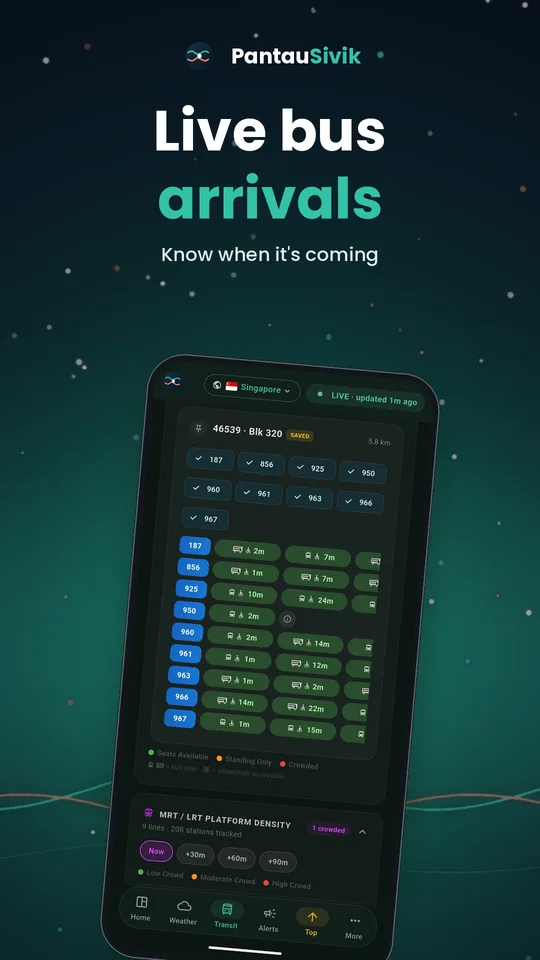
Short answer: open Transit and stay on the Bus side. The two stops nearest you show live arrivals straight away. Search for any other stop and add it, and save up to four favourites to keep them at the top.
What you will see
- The two nearest stops, worked out from your location each time you open the page.
- Up to three arrival times for each bus service, shown as pills.
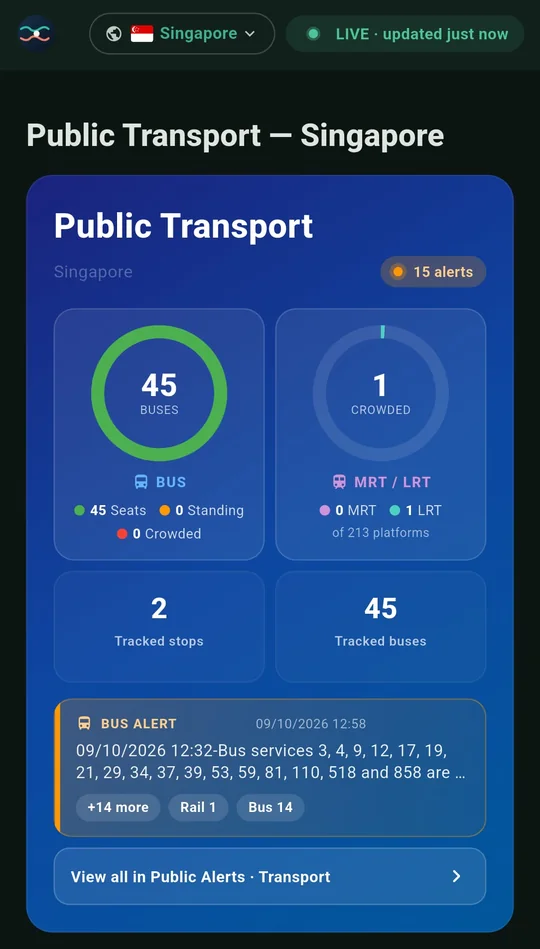
- Crowd colour for each arriving bus: green for seats, orange for standing and red for crowded.
- Small icons for double decker buses and wheelchair accessible buses.
- First and last bus times behind the small info button on each service.
How to use it
- Open Transit and choose the Bus side with the switch at the top. The Home Bus card opens it directly. Allow location so the nearest stops can appear.
- Read the pills. The first one is the next bus. A red first pill means the next bus is crowded, so the second pill may be the better pick.
- Tap Add a new stop, or use the search, to find any stop by name or code, then add it. You can save up to four stops.
- Saved stops stay in place, and they do not take up the two nearest stop spots. If a saved stop is also the closest one, it shows once with both tags.
- Tap the info button on a service to see its first and last bus times for weekdays, Saturdays and Sundays.
- Tap the heading of the bus arrivals block to fold it away when you do not need it.
Tips
- Save your home stop and your work stop. Then your commute is one glance, wherever you are standing.
- Arrival times are estimates. They change as buses move, so check again right before you walk to the stop.
- Crowd colour is for the next bus only, so keep an eye on the later pills too.
Good to know
Arrivals come from the Land Transport Authority. Frequently used stops are refreshed regularly, and other stops are looked up live when you open them. Singapore Transit shows arrival countdowns. Malaysia Transit shows routes and live vehicle positions, because official arrival countdowns are not published there yet.
Information comes from public sources and is there to help you plan. PantauSivik is independent and not affiliated with any government agency. Screens and wording can change a little between app versions.
Frequently asked questions
How many bus stops can I save?
Up to four. The two nearest stops are shown separately and do not use up a saved slot.
What do the colours on the arrival pills mean?
Green means seats available, orange means standing only and red means the bus is crowded.
Can I see the first and last bus?
Yes. Tap the small info button on a service to see first and last bus times by day type.
Does it show bus arrivals in Malaysia?
Not yet. Malaysia shows routes and live vehicle positions because arrival countdowns are not published there.
Where are the bus arrivals now?
On the Bus side of the Transit page. Transit has a switch at the top between Bus and MRT and LRT, and the Home Bus card opens the Bus side.
See also: Are buses really crowded?, MRT and LRT crowds guide, Trip Planner guide, Night road closures and bus diversions, Fare review 2026, What is new in 1.25.29, Introducing PantauSivik, Changi Airport to the city, Deepavali Eve late buses, Bus changes this week.
Spotted a mistake? Report an error on this page.